 CORK
CORK
Upload
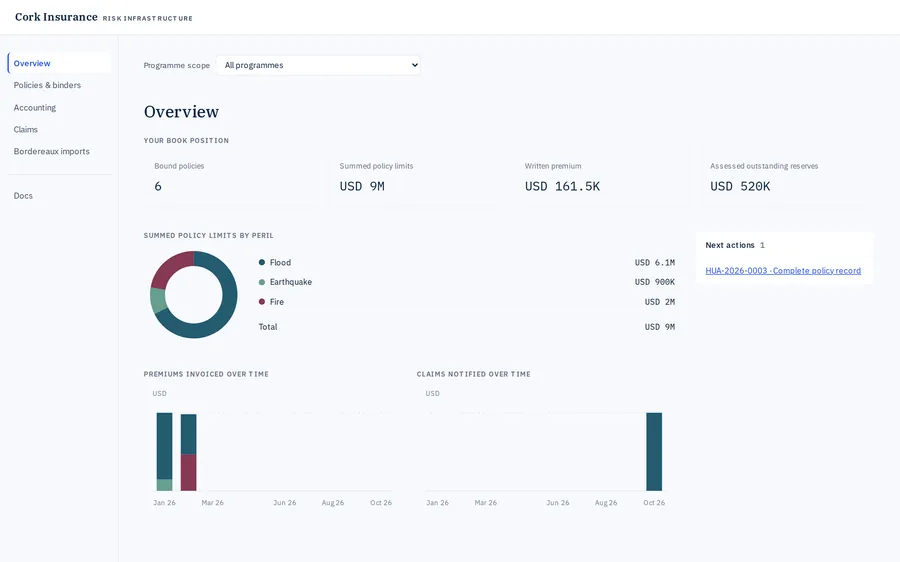
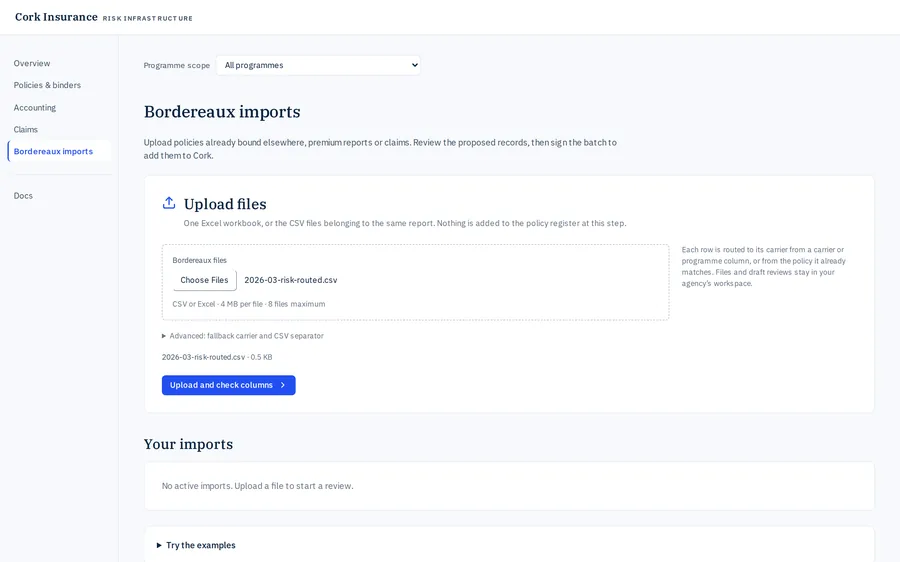
Drop the file
Drag your policy system's export, Excel or CSV, onto Bordereaux imports. One file can carry business for several carriers, and each policy goes to its carrier.
For MGAs
Your bordereaux and binders go into Cork as they stand. Cork checks every policy against its binder, reports to each carrier in its own format, and answers their queries from the record.
The month-end today
With Cork, you send your data once. Cork checks it, reports it to every carrier and answers their queries from the same record.
The flow

1 · Data in, every way
By upload, through your AI or straight from your own systems. Each way files the same bordereau, runs the same checks and waits for your signature.
Drag your policy system's export, Excel or CSV, onto Bordereaux imports. One file can carry business for several carriers, and each policy goes to its carrier.
Hand the file to the AI assistant your team already uses. It connects to Cork through MCP, files the bordereau and brings back what needs your eye.
File this month's bordereau for Northgate.
Done. 41 policies read with your saved mapping. 39 are ready to sign, and 2 need a look: HUA-WH-2026-0203 is a flood risk under a fire-only binder.
Your policy system sends its data straight to Cork through the Cork API: the month-end export, or each policy as it is written. Your IT team connects it once.
2 · Connected to the binder
Drop your binder documents for all your carriers at once. Cork reads each term with its clause, and asks only what the documents leave open.
Each policy you bind, in a bordereau or one at a time, is then checked against the binder in force on its date. A policy outside it is refused, with the clause named.
3 · Your whole book
Every binder, policy, endorsement and claim you file lands in one book: capacity used, limits, claims and premium. Each carrier sees the same figures for its own business.
4 · Carrier reporting
Cork builds each carrier's format once, from its template or a report it accepted before. Every period after that, Cork fills it from your book.
Give Cork the carrier's template, its instructions or a report it accepted before. Cork works out each column, where its value comes from and the carrier's codes, and shows you the source of each choice. You approve the format once.
Before a report goes out, Cork lists anything the carrier needs that your data lacks, such as a postcode or a peril code. Fill it in on the policy, and every carrier's report picks it up.
Each report goes out as Excel, CSV or JSON with a reference. Cork records whether the carrier accepted or queried it, and keeps each corrected version with its reason.
5 · Reconciliation requests
Drop a carrier's email or statement into Cork. Cork splits it into points and checks each one against your filings, binders and statements.
Each point gets an answer with its source, and any fix on your side is prepared for your approval. You review the drafted reply and send it.
1. Agreed: premium on HUA-2026-0002 is USD 42,000, as filed in April.
2. HUA-WH-2026-0203 was refused at filing: flood is outside the fire-only binder.
3. Commission is 17.5% under binder clause 7.2, not 15%.
4. We have added the missing postcode. The corrected report follows.
6 · Balances
Every premium and commission is an amount owed, tied to its policy and its due date. Cork nets them against each other, so one statement and one payment settle the month with each carrier.
Each signed filing stays on record with its files and mapping, so you can always show what you filed and when.
AI integration
Connect the AI tool your team already uses. It files the monthly bordereau, prepares each carrier's report and works through the actions waiting on you. It sees only what your firm sees.